
Trying Out the Hermes Agent and Grok Integration
Hermes Agent v0.14.0 adds integration with xAI's Grok. Grok's `x_search` tool can search posts on X (formerly Twitter), making it great for tracking real-time trends. This article walks through the Hermes Agent and Grok integration.
Hermes Agent is an AI agent developed by Nous Research. It is designed as an autonomous agent that remembers what it has learned and grows more capable the longer it operates. It can be accessed from a variety of platforms—CLI, Slack, Discord, and others—and is built to be model-agnostic, not tied to any specific AI model.
In v0.14.0, full-fledged integration with xAI's Grok model was announced. A standout feature of Grok is the x_search tool, which can search posts on X (formerly Twitter), making it well suited for tracking real-time trends and pulling in the latest information. The newly announced Hermes Agent and Grok integration is notable because it lets you use Grok from your SuperGrok subscription via OAuth authentication, without an API key. In other words, if you already have an X account with SuperGrok enabled, you can search and make use of X posts from an AI agent without any additional charges.
Even without a SuperGrok subscription, I was able to use Grok with an account subscribed to the X Premium Basic plan (980 yen / month).
This article walks through what it's like to use the Hermes Agent and Grok integration.
Installing Hermes Agent
First, install Hermes Agent. You can install it by running the following command.
# macOS/Linux
curl -fsSL https://raw.githubusercontent.com/NousResearch/hermes-agent/main/scripts/install.sh | bash
# Windows (PowerShell)
irm https://raw.githubusercontent.com/NousResearch/hermes-agent/main/scripts/install.ps1 | iex
Once the installation is complete, verify that the hermes command is available.
$ hermes --version
Hermes Agent v0.14.0 (2026.5.16)
Setting Up the Grok Integration
Running the hermes model command displays a list of available providers. To use Grok, select "xAI Grok OAuth (SuperGrok Subscription)".
hermes model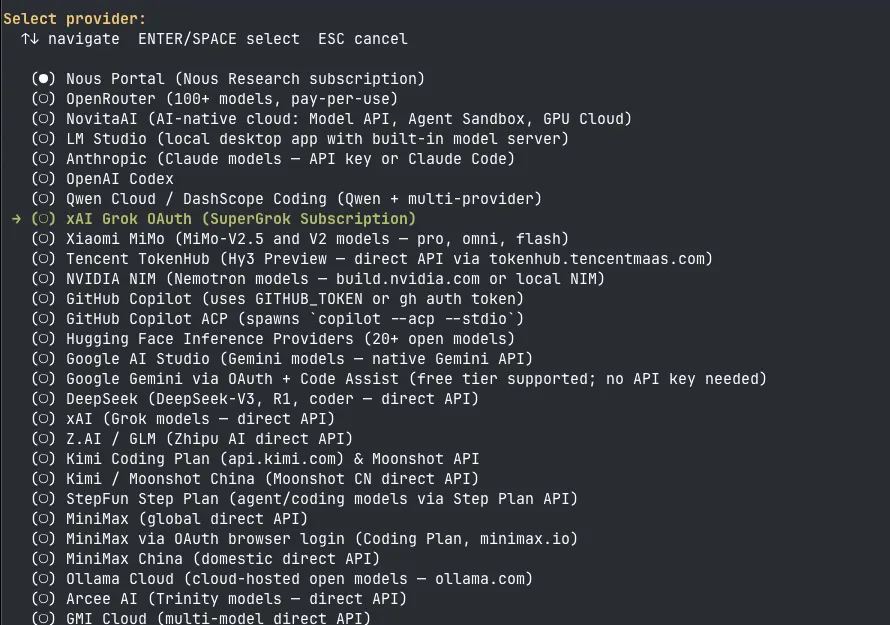
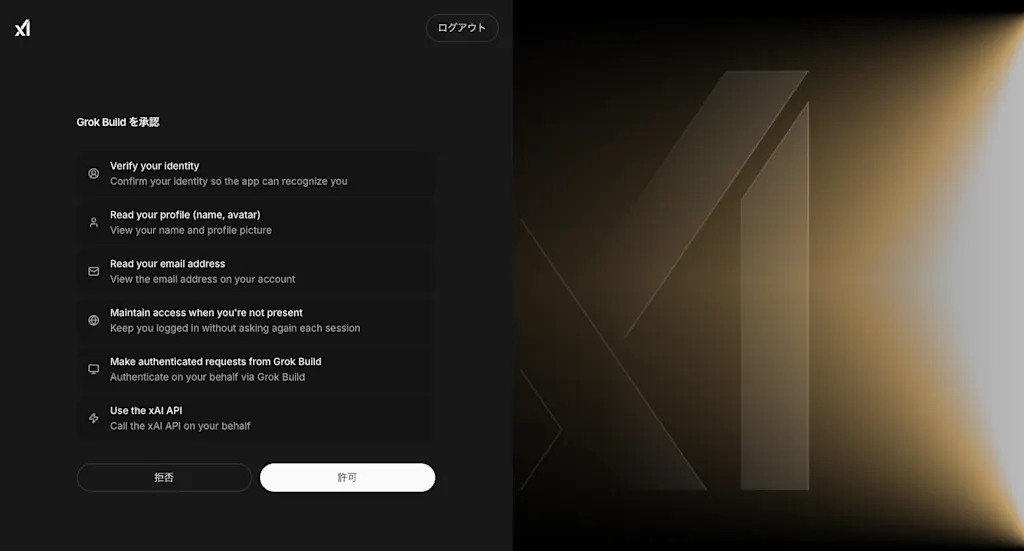
Once selected, your browser opens and the X OAuth flow begins. First, log in to your X account at accounts.x.ai.

After logging in, an "Authorize Grok Build" screen appears, so click "Allow".
Once authentication succeeds, the token is saved to ~/.hermes/auth.json, Grok becomes available from Hermes Agent, and a model selection screen appears. Here I selected grok-4.3.
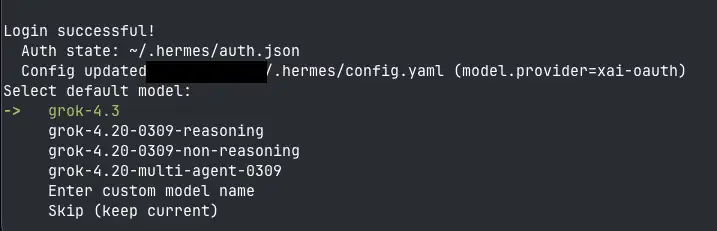
Alternatively, you can configure the model directly from the CLI.
hermes config set model.default grok-4.3
hermes config set model.provider xai-oauth
When you log in via OAuth, the following four tools also become automatically available using the same token.
x_search: A tool for searching posts on Xtext_to_speech: A tool for converting text to speechimage_generate: A tool for generating images from textvideo_generate: A tool for generating videos from text
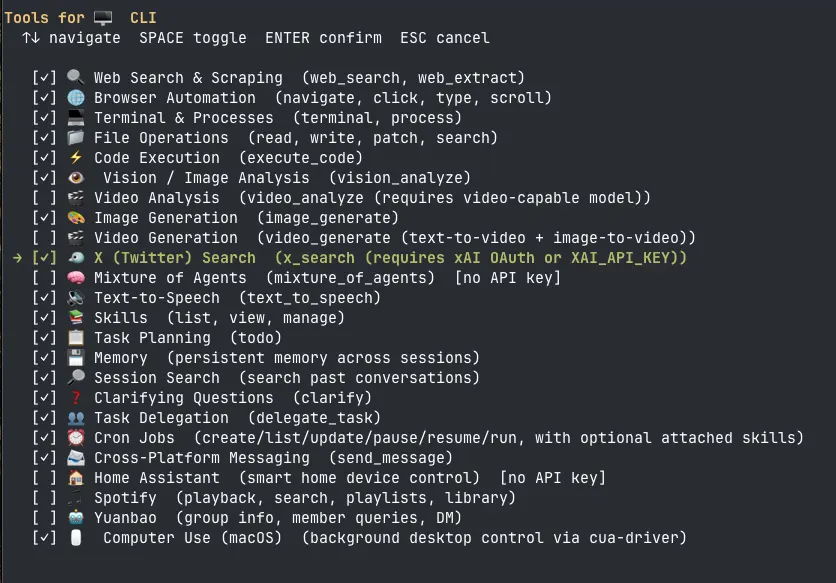
The x_search and video_generate tools are disabled by default. Before launching the agent, you need to enable them in advance by running the hermes tools command.
hermes toolsWhen "Select an option:" appears, choose "Configure 🖥️ CLI".
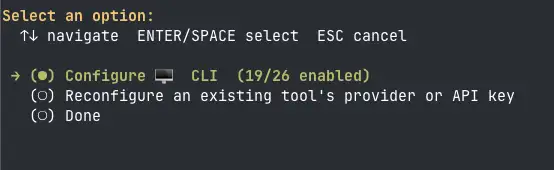
After selecting "Configure 🖥️ CLI", a list of available tools is displayed. Select 🐦 X (Twitter) Search (x_search (requires xAI OAuth or XAI_API_KEY)).
Searching Posts with Grok
Let's launch Hermes Agent and try out Grok. Run the following command to start the agent.
hermesAn interactive interface appears in the terminal.
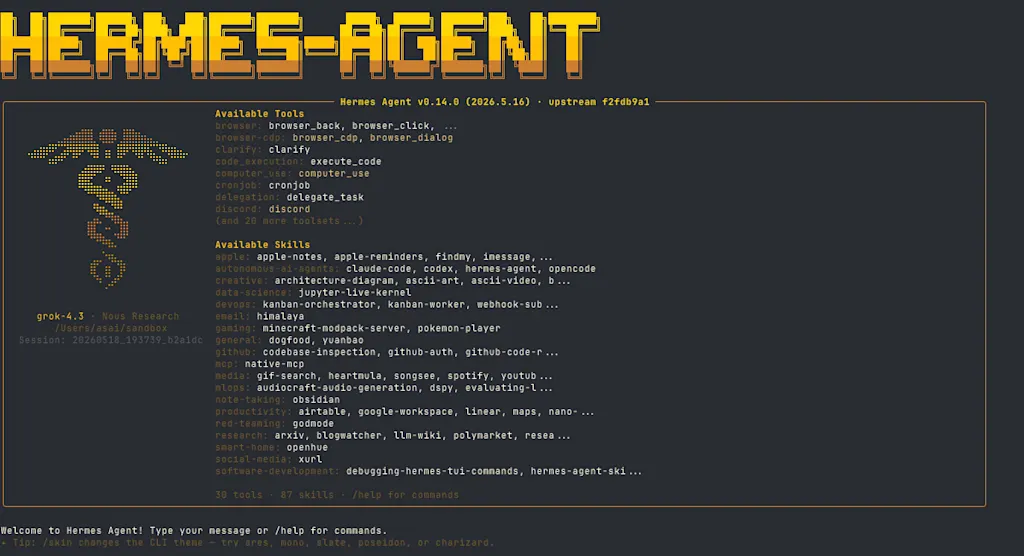
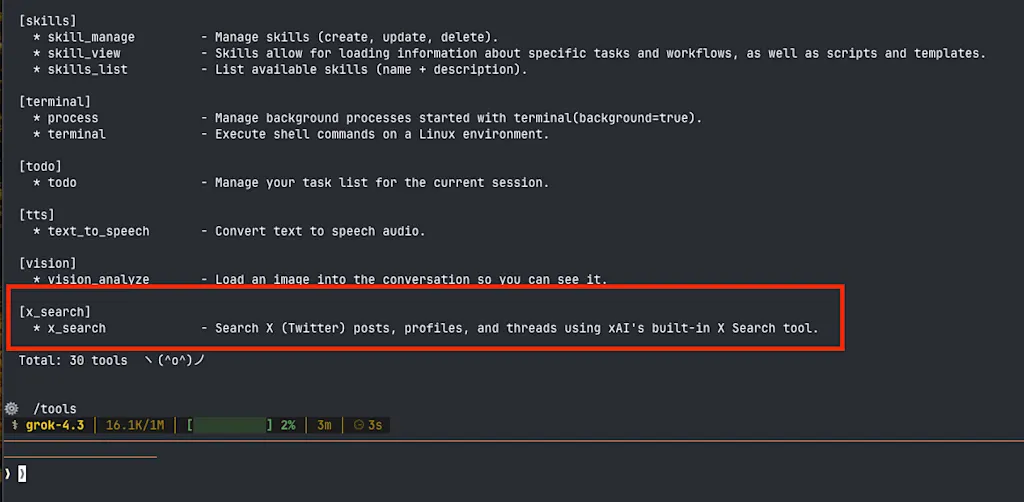
Type the /tools command to check the list of available tools. You can see that the x_search tool for searching posts on X is listed.
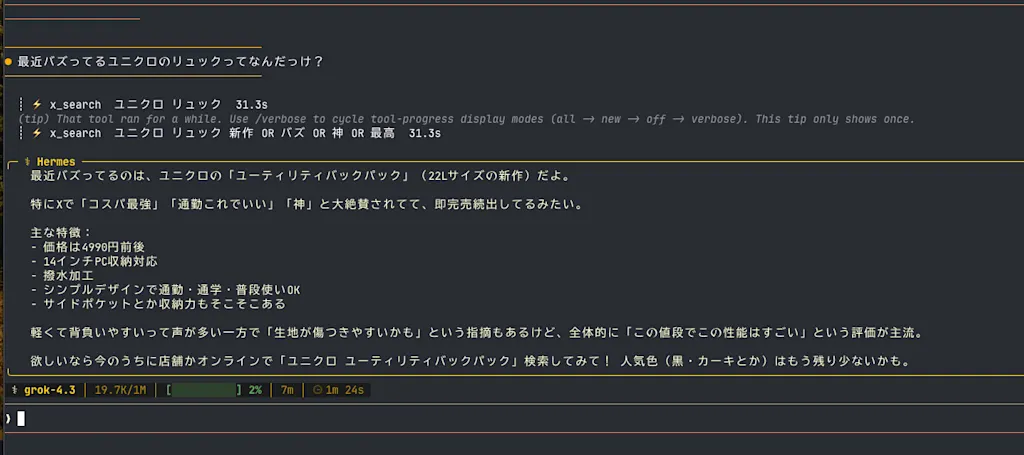
Now let's use the x_search tool to search for the latest information. For example, try a prompt like "What was that UNIQLO backpack that's been going viral lately?".
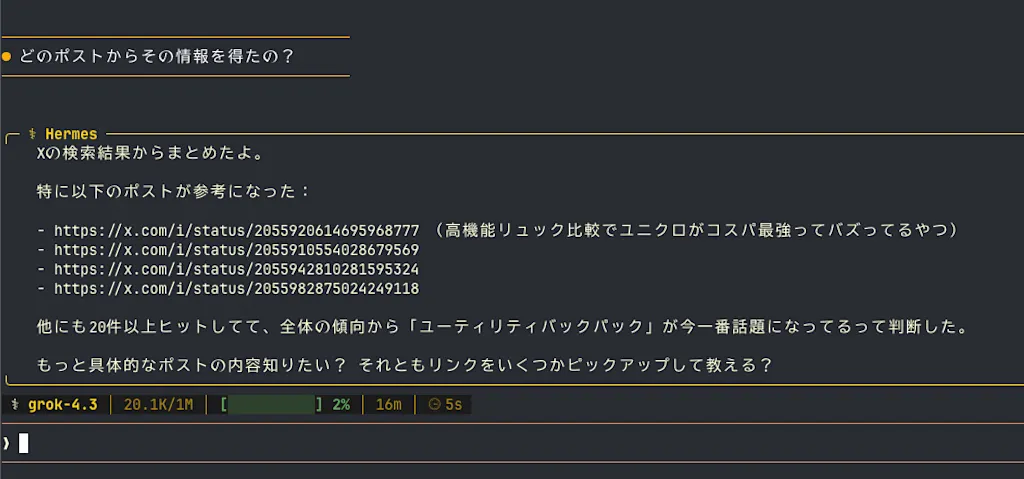
What was that UNIQLO backpack that's been going viral lately?A 🐦️ emoji appears, showing that the x_search tool is searching with keywords like "UNIQLO backpack" and "UNIQLO backpack new OR viral OR amazing OR best". In the end, it told me that the one going viral is UNIQLO's "Utility Backpack". Being able to get information from such a loose, casual question is one of Grok's strengths.
Let's also ask which specific posts the information came from.
Which posts did you get that information from?It gave me URLs of several posts it had referenced. Opening those URLs in a browser confirms that UNIQLO's Utility Backpack is indeed going viral.
You can also search by specifying a particular account. Let's search for the recent viral posts among @azukiazusa9's posts.
[@azukiazusa9] Which posts have been going viral lately?It searched using a query like from:azukiazusa9 min_faves:50 since:2026-04-01. It looks like the post sharing the #fec_nagoya talk slides is going viral.
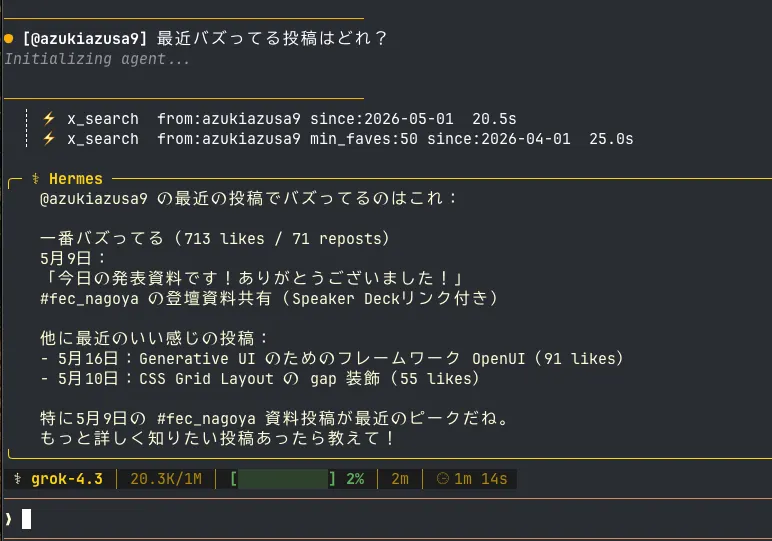
Image Generation with Grok
Let's also try image generation with Grok. Using Hermes Agent's image_generate tool, you can generate images from text. The default provider is FAL.ai, so you need to switch the backend to
xAI Grok Imagine (image) via the hermes tools command.
hermes toolsWhen "Select an option:" appears, choose "Reconfigure an existing tool's provider or API key".
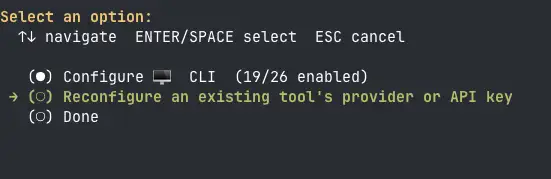
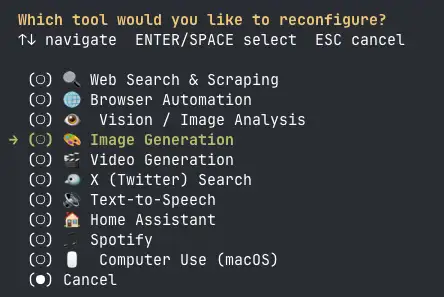
When the list of tools is displayed, select "🖼️ Image Generation (image_generate)".
When the list of providers is displayed, select "xAI Grok Imagine (image)". If you are already logged in to Grok via OAuth, you won't be prompted for an API key. You can choose between grok-imagine-image and grok-imagine-image-quality as the model. The latter produces higher quality images, but takes longer to generate.

Once the setup is complete, relaunch Hermes Agent and try a prompt like "Generate a sunset Mt. Fuji in ukiyo-e style".
Generate a sunset Mt. Fuji in ukiyo-e styleImage generation was performed with Grok Imagine as the backend, and the image was generated within a few seconds. The generated image is shown as a URL (imgen.x.ai).
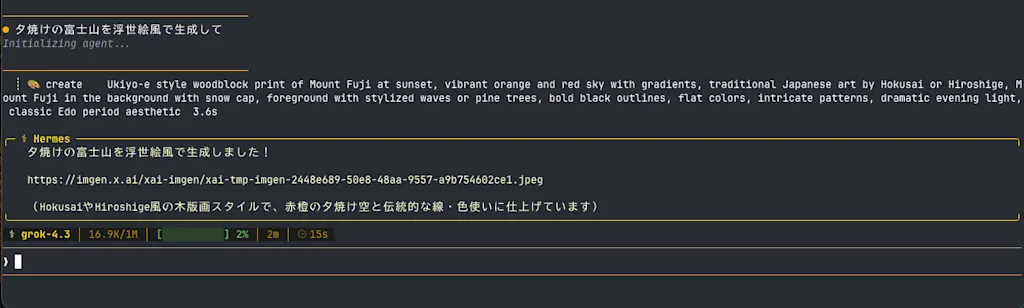
Opening the URL in a browser, you can see a stunning Mt. Fuji rendered in ukiyo-e style.

Summary
- The Hermes Agent and Grok integration lets you use Grok from your SuperGrok subscription via OAuth authentication, without an API key.
- Using the
x_searchtool, you can search posts on X (formerly Twitter). - With Grok, your AI agent can track real-time trends and pull in the latest information.
- By switching the
image_generatetool's provider to Grok Imagine, you can also do image generation with Grok.