
Have the agent comment on its own changes with the difit-review skill
difit is a CLI tool for reviewing local git diffs in a GitHub-style interface. With the difit-review skill, an agent can launch difit with comments attached to code changes. This article shows how to use it.
difit is a CLI tool for reviewing local git diffs in a GitHub-style viewer. In an era where AI agents often spend more time reviewing code than writing it, one of its biggest strengths is that you can inspect code diffs in a familiar interface without pushing changes to a remote repository. With the
npx difit <target> command, you can inspect the diff for a specific commit, and you can also use keywords like staged and working to inspect diffs in the staging area or working tree.
# Review the diff for a specific commit
npx difit abcd1234
# Review the staged diff
npx difit staged
# Review the diff against the main branch
npx difit @ main
When you run the command, the diff becomes available at http://localhost:4966. You can leave line-by-line comments there and feed them back to the agent as prompts.
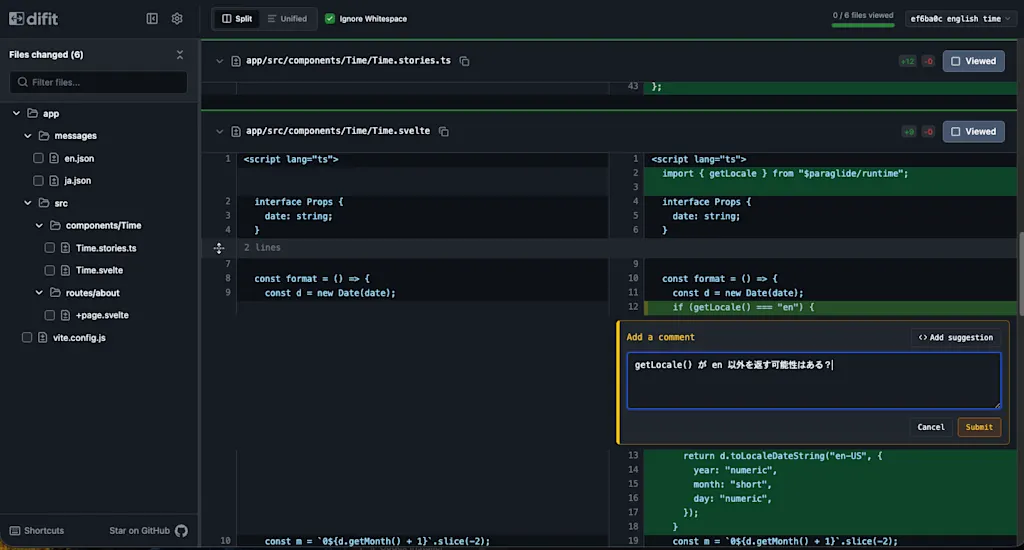
difit is available as a CLI tool, but you can also invoke it from an agent by using the officially provided Skills. At the moment, there are two skills related to difit.
difit: Ask the user for a code review
How you invoke a skill depends on the agent. For example, in Claude Code you can call it with a slash command such as /difit-review, while in Codex you call it explicitly through a skill reference. This article mainly uses Claude Code for the execution examples, while also showing an example of using it with Codex.
Launching difit through a skill means people no longer need to remember the fine details of the command-line arguments. It also enables workflows such as asking the agent to leave review results or explanations of code it wrote. Let's try using the difit-review skill to have an agent explain a code change.
Install the difit-review skill
If you want to install a specific skill, the npx skills command is handy. Run the following command, select the agent you are currently using in the interactive prompt, and install the difit-review skill.
npx skills add https://github.com/yoshiko-pg/difit --skill difit-reviewAgent Skills can come with security risks, such as prompt injection that attempts to steal sensitive information from the user, or abuse of a mechanism that allows arbitrary scripts to run. If you install an Agent Skill from a third party, you should carefully inspect the contents of the skill first.
After the installation finishes, make sure the agent can use the difit-review skill. For example, in Claude Code, if /difit-review appears as a suggestion when you type it, the skill has been recognized correctly.
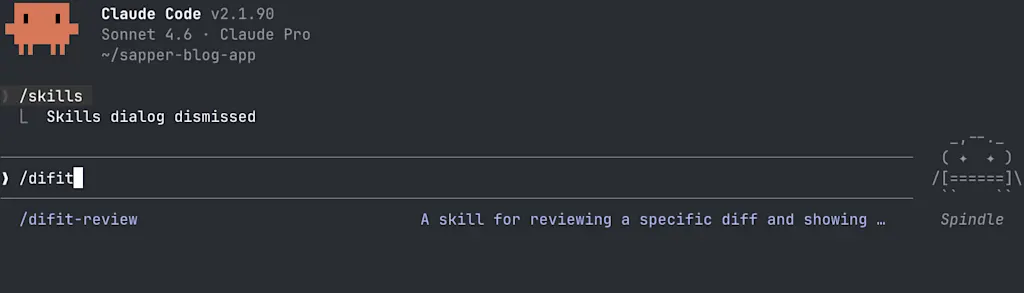
Use the difit-review skill to have the agent explain the code
Now let's ask the agent to launch difit after adding its own explanation of the code changes. To begin with, we will ask it to implement the UI for a fictional household budgeting app.
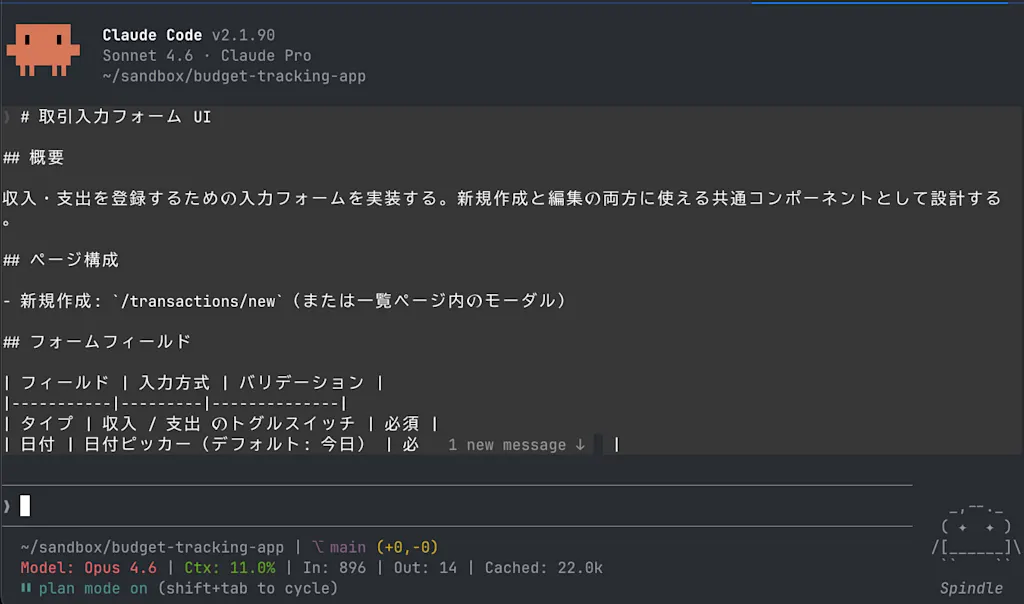
Prompt
# Transaction Input Form UI

## Overview

Implement an input form for registering income and expenses. Design it as a shared component that can be used for both creating and editing entries.

## Page Structure

- New entry: `/transactions/new` (or a modal within the list page)

## Form Fields

| Field | Input Method | Validation |
|-----------|---------|--------------|
| Type | Toggle switch for income / expense | Required |
| Date | Date picker (default: today) | Required, future dates only trigger a warning |
| Amount | Numeric input (show yen symbol) | Required, integer of 1 or more |
| Category | Select box (filtered based on `type`) | Required |
| Memo | Text area (single line) | Optional, up to 200 characters |

## UI Behavior

- Switching the type (income/expense) also switches the category choices
- Show the amount with thousands separators while typing (example: ¥1,500)
- After submission, navigate to the list page (or close the modal and refresh the list)
- While submitting, put the button into a loading state to prevent duplicate submissions

## Additional Requirements

- Implement it so it sends a POST request to the `/api/transactions` endpoint
- Write component tests using Vitest + Testing Library
- Keep accessibility in mind
- Reuse the existing UI component library
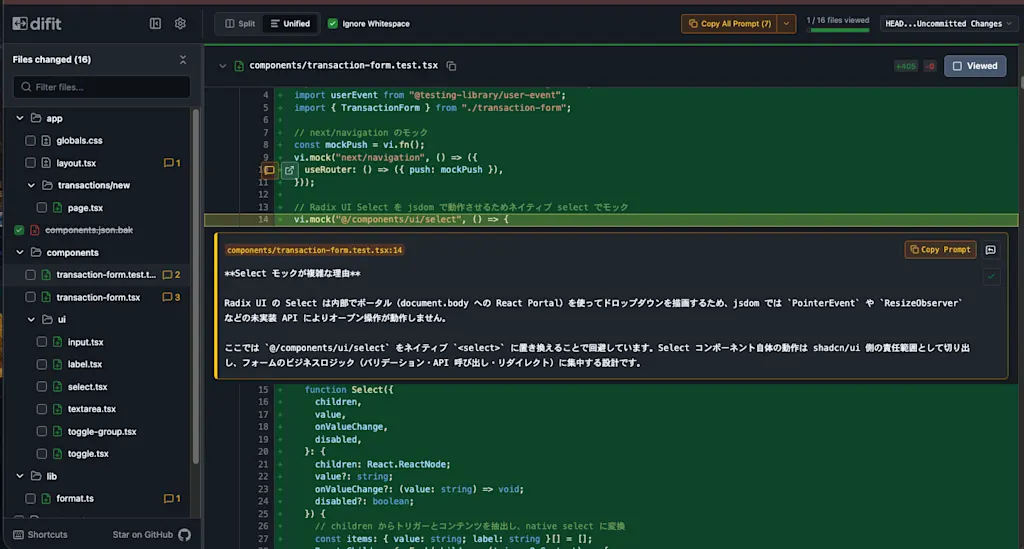
Once the implementation is done, in Claude Code you can use the /difit-review command to have it launch difit. As defined in SKILL.md, the key point is that it launches the
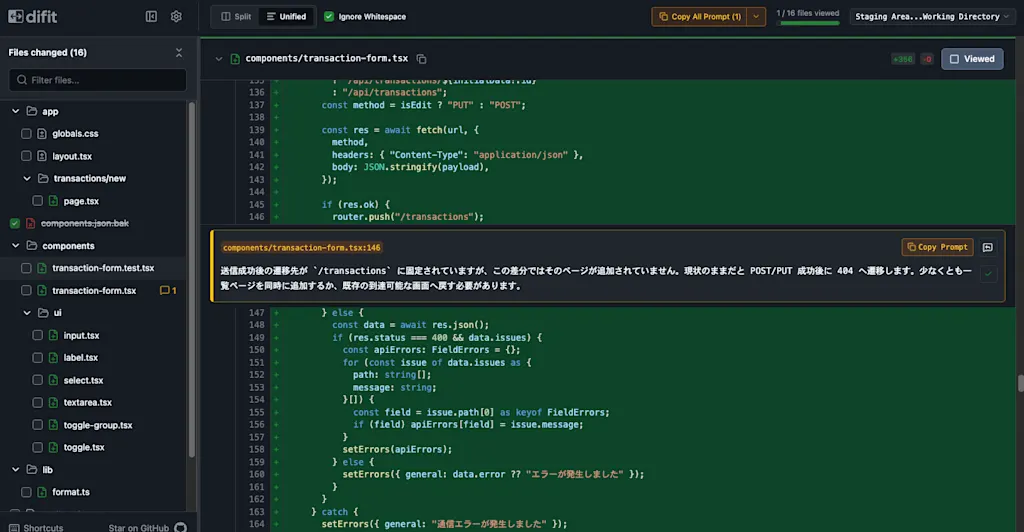
difit command with the --comment option. The difit-review skill itself defines how difit is launched and how comments are passed along, while the actual quality and content of those comments depends on how the agent investigated the diff.
/difit-reviewIn this example, the agent leaves comments on changes that are hard to understand from the diff alone, such as why the <Select> component is mocked in the tests. For example, a note like "In the test environment, we want to verify the form behavior rather than the internal implementation of a complex UI component, so <Select> is replaced with a simple mock" makes the intent of the change much easier to grasp quickly.
You can also use the difit-review skill in the same way when you want to ask an agent for a code review. Let's have Codex review an implementation created with Claude Code. In Codex, you explicitly invoke difit-review through a skill reference.
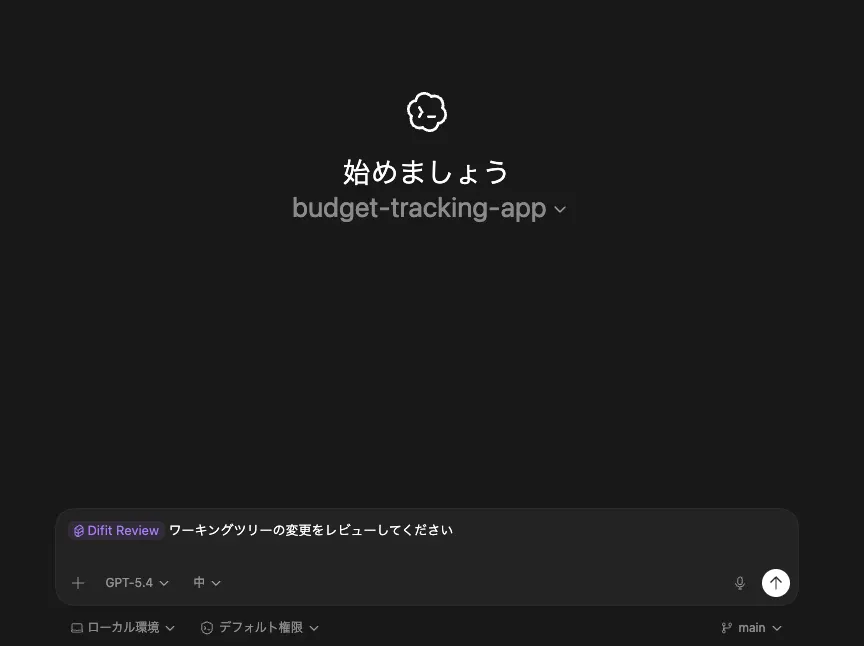
After examining the diffs in the key files and the surrounding code, the agent can launch difit with comments attached that point out important issues or explain the intent behind the changes. The quality of the review still depends on the depth of the agent's investigation, but it is convenient to keep the whole review experience local.
Summary
difitis a CLI tool for reviewing local git diffs in a GitHub-style interface- With the
difit-reviewskill, an agent can launchdifitwith comments attached to code changes - In Claude Code, you can invoke it with a command like
/difit-reviewto launchdifitwith the agent's comments attached - You can also use the
difit-reviewskill when asking an agent to review code